
Open it in Google Sheets
- Upload the file. In Google Drive, click New → File upload and pick
trade-journal-template.xlsx. - Convert it. Open the file, then choose File → Save as Google Sheets. Work in the new copy; you can delete the .xlsx.
Every formula, the Long/Short drop-down and the green and red win/loss labels carry over. The column chart on the Monthly tab usually converts too; if it doesn't, select the Monthly table and choose Insert → Chart.
What's inside
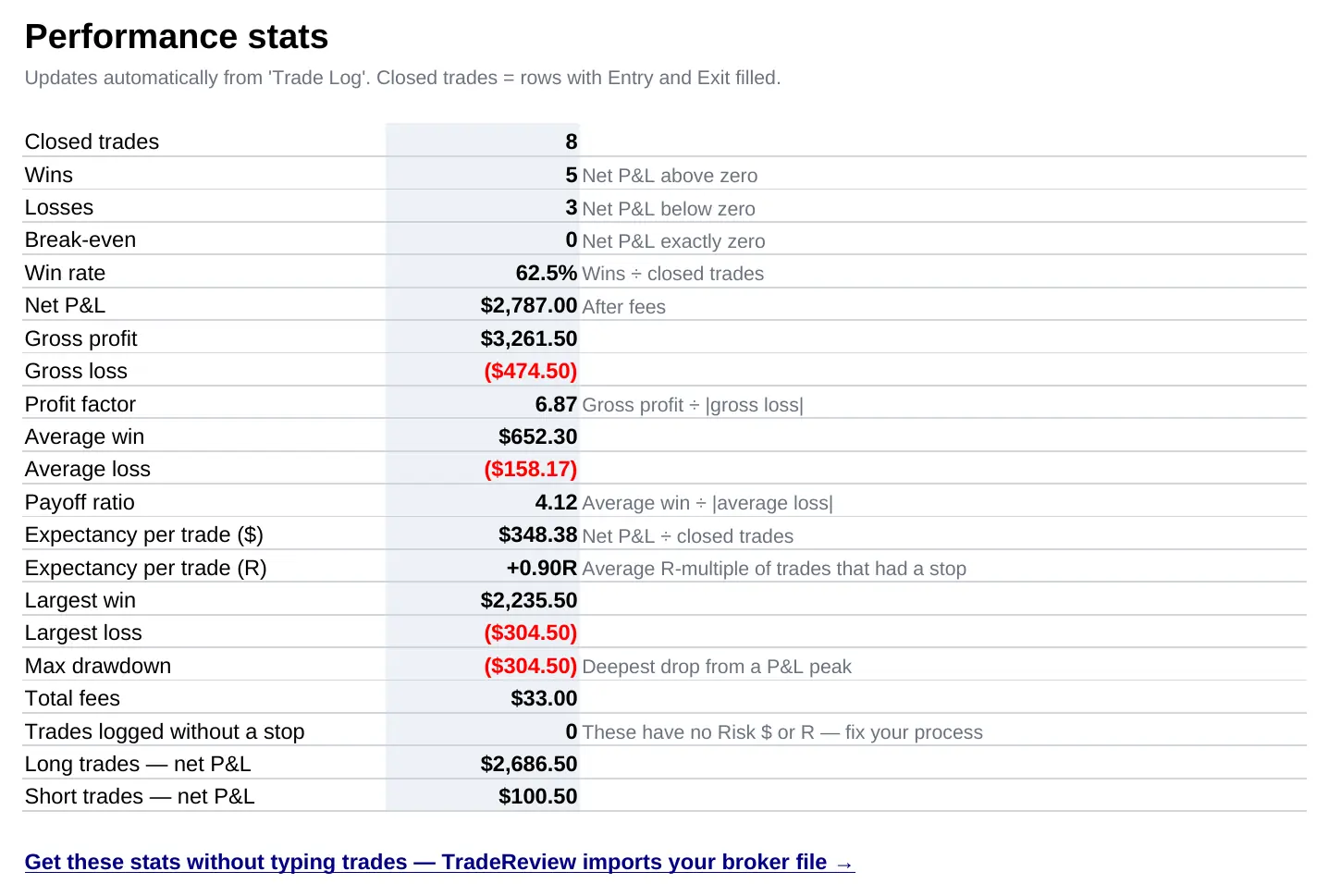
Four tabs. Trade Log is where you type one row per closed trade. Stats shows win rate, profit factor, expectancy in dollars and R, max drawdown and more. By Setup splits results by the setup you traded, and Monthly totals each month. The Excel page walks through every tab with screenshots; it is the same file.
Add live prices for open trades
This one only works in Google Sheets. While a trade is open (Exit is empty), GOOGLEFINANCE can fetch the current price and show your unrealized P&L. Add two columns after the last grey column, in V and W:
V2 (Live price):     =IF(AND(B2<>"",J2=""),GOOGLEFINANCE(B2),"")
W2 (Unrealized P&L): =IF(V2="","",(V2-G2)*E2*IF(F2="",1,F2)*IF(D2="Short",-1,1))
Copy both cells down the column. GOOGLEFINANCE needs the exchange in front of the ticker, so type symbols you want priced as NASDAQ:AAPL or NYSE:F; currency pairs are commonly written as CURRENCY:EURUSD. Google says many international exchanges and some futures aren't covered and that quotes can be delayed by up to 20 minutes, so treat these numbers as a guide (Google's GOOGLEFINANCE help). Once you fill in Exit, the live price clears and the trade moves into your stats.
Share it with a mentor or trading partner
Click Share, add their email and choose Commenter. They can leave notes on individual trades without changing your numbers. To keep a record of what you had at the end of each month, use File → Version history → Name current version.
Questions
Is my trading data private in Google Sheets?
Yes. The copy lives in your own Google Drive and nothing you type is sent to us. Only people you share the sheet with can see it.
Do the formulas work in Google Sheets?
Yes. The template only uses functions that exist in both Excel and Google Sheets, so every formula, the Side drop-down and the win/loss colours carry over when you open the file in Sheets.
Which symbols does GOOGLEFINANCE support?
Mainly US-listed stocks and ETFs, written with the exchange in front, for example NASDAQ:AAPL. Google says not all markets and not all futures are covered, many international exchanges are missing, and quotes can be delayed by up to 20 minutes. Currency pairs are commonly written as CURRENCY:EURUSD.
Can I log trades from my phone?
Yes. Install the Google Sheets app, open your copy and add a row. Wider columns are easier to fill in if you turn the phone sideways.